
Unit Sales
How Unit Sales counts units by product and variant, why zero-price items are left out, and how units per day and days of stock left are worked out.
 Written by The Ordinary Team · Updated
 On this page
Unit Sales is a section of Brand Pulse, Ordinary’s home page.
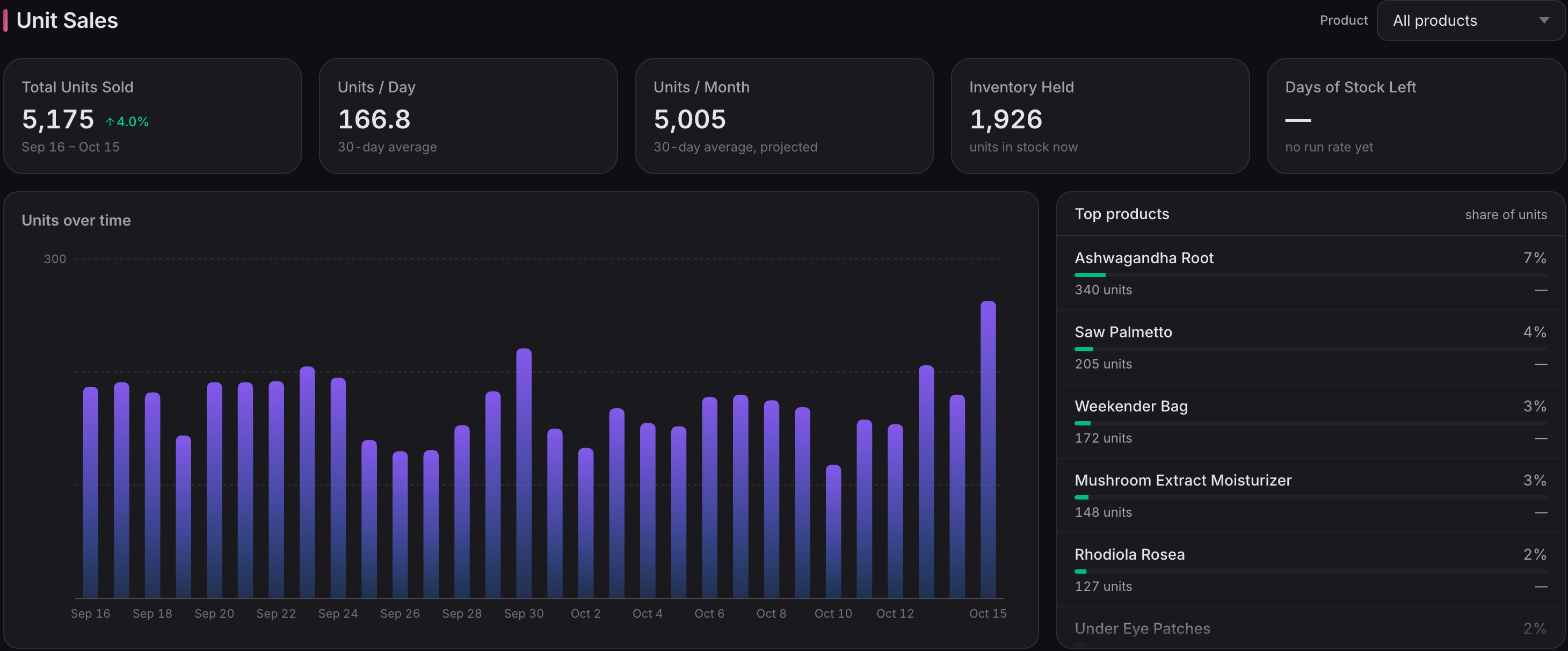
Unit Sales is on every plan. It shows ordered quantities by product for the selected dates. Products remain separate even when they share a SKU, and products without a SKU are included. Each order contributes its actual item quantities; returns are not deducted from this ordered-unit count.
Products and product variants
The product filter lists active Shopify products. Historical or unlinked items still contribute to All products, but are not separate filter choices. Top products is ranked by units, with smaller groups combined into Other.
Pick a single product in the filter to see it split by product variant (for example Core, Essentials and Complete packs of one product). The chart stacks each day’s bar by product variant and the side card becomes Product variants, showing each one’s share of units. Product variants are told apart by Shopify’s variant, not by SKU, so variants that share a SKU are still shown separately. Orders placed before a product had variants, or for a variant since deleted in Shopify, appear as Variant not recorded.
Items listed at a price of 0
Items whose Shopify price is 0 (free add-ons that come with a bundle, or a product you use to send replacements) are not counted as units sold. The chart says how many units it left out for this reason, and Units / Day and Units / Month count sold units only. A discount code that makes an item free does not change this: the item keeps its listed price and still counts as sold. Stock cover still counts every unit that ships, free add-ons included, because they leave your warehouse too.
Current rates and stock cover
Units / Day, Units / Month, and stock cover use today and the previous 29 calendar days in the shop’s timezone. Changing the selected chart dates or switching between daily, weekly, and monthly charts does not change these current rates. The product filter applies to both the chart and rates. If plan limits or a data cutoff prevent access to the complete current window, rates and stock cover show —, rather than a misleading partial average.
Inventory Held and Days of Stock Left come from your inventory levels, which are part of Inventory on the Advanced plan. On other plans they show —.
Product stock and Days of Stock Left show — when Ordinary cannot reliably match a product to its stock records, for example a product whose variants have not synced yet. Stock is matched by Shopify variant, so missing or shared SKUs do not affect it. A — means the stock figure is unavailable, not that the product has zero stock. Stock cover considers every selling active Shopify product, including those grouped under Other; an unknown stock figure for an active product cannot be hidden by the chart’s ranking. Historical and unlinked items still count toward ordered units, but do not contribute to current catalog stock forecasts.